


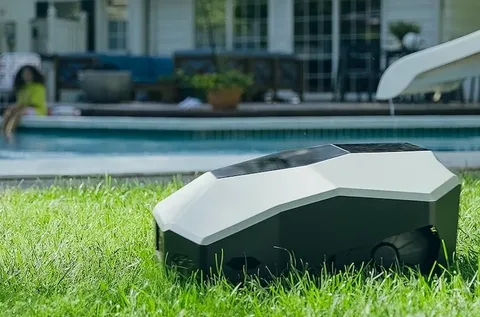
Setting up a smart gardening device can feel intimidating at first, but modern systems are designed to be far more user-friendly than most people expect. This The Complete Guide to Setting Up an ai robot lawn mower will walk you through everything from unboxing to first use, so you can get your lawn running on autopilot with minimal effort.
Whether you’re upgrading from a traditional mower or installing your first smart outdoor device, this The Complete Guide to Setting Up an AI Robot Lawn Mower will help you avoid common mistakes and get the best performance from day one.
Understanding Your AI Robot Lawn Mower
Before installation, it’s important to understand what makes an AI-powered mower different. Unlike traditional push or ride-on mowers, these devices use sensors, mapping systems, and smart algorithms to navigate your yard independently.
Most models include:
- Smart navigation and obstacle detection
- Weather awareness and scheduling features
- App-based control from your smartphone
- Automatic docking and charging
Knowing these features will make The Complete Guide to Setting Up an AI Robot Lawn Mower much easier to follow, since each step builds on how the system “thinks” and operates.
Step 1: Preparing Your Lawn
A successful setup starts with preparation. Even the smartest mower needs a clean and safe environment to operate efficiently.
Clear the Yard
Remove:
- Stones and sticks
- Toys or garden tools
- Low-hanging obstacles
Check Lawn Boundaries
Ensure your lawn edges are clearly defined. Some models use boundary wires, while others rely on GPS or AI vision systems.
Preparing properly is a key part of The Complete Guide to Setting Up an AI Robot Lawn Mower, because it reduces navigation errors and improves cutting accuracy.
Step 2: Installing the Charging Station
The charging dock is the home base of your mower. Placement is crucial for smooth operation.
Ideal Location Tips:
- Flat, stable surface
- Near a power outlet
- Shaded area if possible
- Clear space on both sides for docking
Once installed, plug it in and ensure the indicator lights show proper power connection.
This step in The Complete Guide to Setting Up an AI Robot Lawn Mower ensures your device always returns safely to charge without issues.
Step 3: Setting Up Boundaries and Mapping
Depending on the model, your mower will either use:
- Boundary wires
- GPS mapping
- AI vision mapping
For Boundary Wire Models:
Lay the wire around the perimeter of your lawn and secure it with stakes.
For Smart Mapping Models:
Use the mobile app to guide the mower around your yard so it can create a virtual map.
This stage is essential in The Complete Guide to Setting Up an AI Robot Lawn Mower because accurate mapping prevents the mower from leaving designated areas.
Step 4: Connecting the Mobile App
Most AI robot lawn mowers come with a companion app that unlocks full functionality.
Typical App Features:
- Start/stop mowing remotely
- Set schedules
- Adjust cutting height
- Track battery and maintenance alerts
Connect your mower via Wi-Fi or Bluetooth, then follow the in-app setup instructions. This digital connection is a major focus of The Complete Guide to Setting Up an AI Robot Lawn Mower, as it transforms your phone into a control hub.
Step 5: Creating a Mowing Schedule
Once everything is connected, it’s time to set your mowing routine.
Recommended Settings:
- Mow 2–3 times per week during growing season
- Avoid peak heat hours
- Adjust frequency based on grass type
Smart scheduling ensures consistent lawn maintenance without overworking the machine. Proper scheduling is a critical takeaway from The Complete Guide to Setting Up an AI Robot Lawn Mower.
Step 6: First Test Run
Before letting it operate fully, run a supervised test.
Watch for:
- Navigation accuracy
- Obstacle detection
- Docking performance
- Cutting consistency
If anything seems off, adjust the mapping or settings through the app.
This final setup stage in The Complete Guide to Setting Up an AI Robot Lawn Mower ensures everything is functioning correctly before full automation begins.
Maintenance Tips for Long-Term Performance
Even though these machines are highly automated, they still need occasional care.
Basic Maintenance:
- Clean blades weekly
- Check wheels for debris
- Update software regularly
- Inspect charging contacts
A well-maintained mower lasts longer and performs better, completing the full cycle outlined in The Complete Guide to Setting Up an AI Robot Lawn Mower.
Conclusion
Setting up a smart mower is not as complex as it may seem. With proper preparation, correct installation, and smart app configuration, your lawn care routine can become almost fully automated.
