


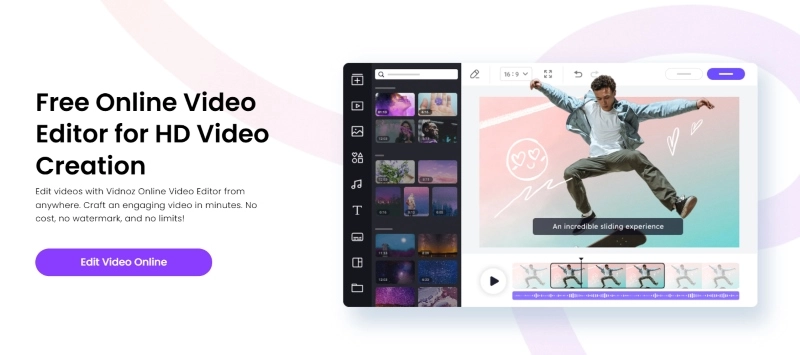
Creating high-quality videos is no longer limited to professional editors with expensive equipment. With the rise of artificial intelligence, anyone can enhance videos, fix common issues, and produce polished content faster. Whether you are a content creator, marketer, or beginner, using smart editing techniques can make a noticeable difference in your final results.
Why AI Video Editing Is Changing the Way We Create Content
AI-powered video editors are designed to simplify complex editing tasks. They can automatically improve lighting, remove unwanted noise, stabilize shaky footage, and enhance overall visual quality. These tools analyze video content and apply adjustments that would normally require advanced editing skills.
By following effective AI Video Editor Tips to Improve Video Quality Instantly, creators can save time while achieving professional-looking results without spending hours on manual adjustments.
1. Enhance Video Resolution with AI Upscaling
One of the biggest advantages of AI video editors is their ability to increase video resolution. AI upscaling technology can improve low-quality footage by adding detail, sharpening images, and reducing pixelation.
This feature is especially useful when working with older recordings, mobile phone videos, or clips captured in poor conditions. Instead of reshooting content, AI tools can help restore and improve existing footage.
2. Improve Lighting and Color Automatically
Poor lighting can make even great footage look unprofessional. AI video editors can automatically balance brightness, adjust contrast, and enhance colors to create a more appealing appearance.
Automatic color correction helps maintain consistency across different clips, making your videos look smoother and more visually engaging. Applying these AI Video Editor Tips to Improve Video Quality Instantly can help transform ordinary footage into high-quality content.
3. Remove Background Noise and Improve Audio Quality
Audio quality plays a major role in how viewers experience a video. AI editing tools can detect unwanted sounds such as wind noise, background conversations, and static interference.
Many advanced editors also improve voice clarity and balance audio levels automatically. Clear sound combined with sharp visuals creates a more professional viewing experience.
4. Use AI Stabilization for Smoother Footage
Shaky camera movements can distract viewers and reduce the quality of your videos. AI stabilization features analyze movement patterns and smooth out unwanted motion.
This is particularly helpful for videos recorded on smartphones or handheld cameras. A stable video looks more polished and gives the impression of professional production.
5. Add Smart Effects and Automatic Enhancements
Modern AI video editors can recommend effects, transitions, and editing styles based on the content of your video. These smart suggestions help creators make engaging videos without needing advanced technical knowledge.
Using AI-powered features wisely allows you to improve creativity while maintaining a clean and professional style.
Final Thoughts
AI video editing has made it easier than ever to create impressive videos quickly. From improving resolution and fixing colors to enhancing audio and stabilizing footage, artificial intelligence provides powerful solutions for creators at every skill level.
Following AI Video Editor Tips to Improve Video Quality Instantly can help you produce better content, reduce editing time, and achieve professional results with minimal effort. As AI technology continues to develop, video creation will become even more accessible and efficient for everyone.
