


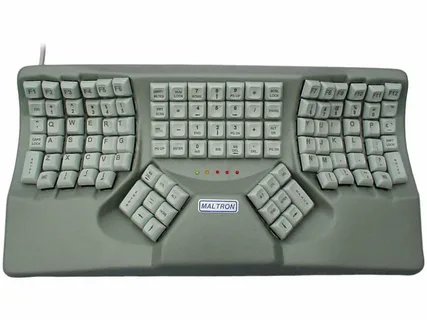
The typing experience has come a long way from the traditional mechanical keyboards to the modern-day smart keyboards. One of the most innovative advancements in this space is the introduction of a keyboard with a display. This cutting-edge technology enhances how users interact with their devices, offering more customization, interactivity, and efficiency. In this article, we will explore how a keyboard with display can significantly improve your typing experience and why you should consider upgrading to one.
What is a Keyboard with Display?
A keyboard with a display is an innovative peripheral that integrates a screen directly into the keys of the keyboard or at the top, usually in the form of an OLED or LCD panel. These displays provide dynamic feedback, showing useful information such as shortcuts, multimedia controls, or even custom functions specific to the tasks at hand. By offering real-time feedback and additional functionality, these keyboards bridge the gap between typing and interactive features.
Enhanced Customization
One of the standout features of a keyboard with display is the ability to customize your typing environment. With programmable keys and a responsive display, users can tailor the keyboard layout to suit their preferences. For example, users can assign specific shortcuts, macros, or special characters to the keys and view them instantly on the display, minimizing the need to memorize complex key combinations.
If you’re a developer, a designer, or a gamer, you can easily create custom key mappings that align with your workflow. With the addition of an on-the-fly screen, these changes are visible and accessible immediately, ensuring a smooth and personalized typing experience.
Streamlined Workflow and Productivity
How a keyboard with display enhances your typing experience is not limited to customization alone. These keyboards often come with advanced functionalities that help streamline your workflow. The built-in display allows you to see notifications, track emails, check calendar events, and even control media playback without needing to look away from your screen.
This feature is especially valuable for multitaskers who need to keep an eye on various applications while working. For instance, a keyboard with a display can show your current project or document status, provide easy access to recent files, or offer context-sensitive commands based on the software you’re using. This makes it easier to navigate tasks and access vital information on the fly.
Real-Time Feedback and Error Reduction
Another significant advantage of a keyboard with display is its ability to provide real-time feedback as you type. This means you can instantly see which key you pressed, what function you’re activating, or whether there’s an issue with your input. For example, when typing a long document, the keyboard can display the current word count or grammar suggestions, reducing errors and improving efficiency.
For programmers or data entry professionals, this feature can help in spotting mistakes faster—whether it’s a syntax error or a misplaced character. With a visual cue directly on the keyboard’s display, correcting mistakes becomes more intuitive and less disruptive to the flow of typing.
Is a Keyboard with Display Right for You?
While a keyboard with display can enhance your typing experience, it may not be necessary for every user. Those who do a lot of creative work, programming, or gaming are likely to benefit the most from the additional functionality. The added display offers a new dimension of usability that can significantly reduce distractions, simplify navigation, and increase productivity.
For casual typers or users who primarily use a keyboard for basic tasks, the traditional design may still suffice. However, if you’re looking for a more advanced and interactive typing experience, a keyboard with display could be the perfect solution.
Conclusion
A keyboard with display is a game-changer in the world of typing. Whether you’re customizing your key functions, increasing productivity with streamlined workflows, or receiving real-time feedback, this technology can significantly enhance your typing experience. If you’re seeking a more efficient and interactive way to type, investing in a keyboard with display might just be the upgrade you’ve been waiting for.
